


How to apply
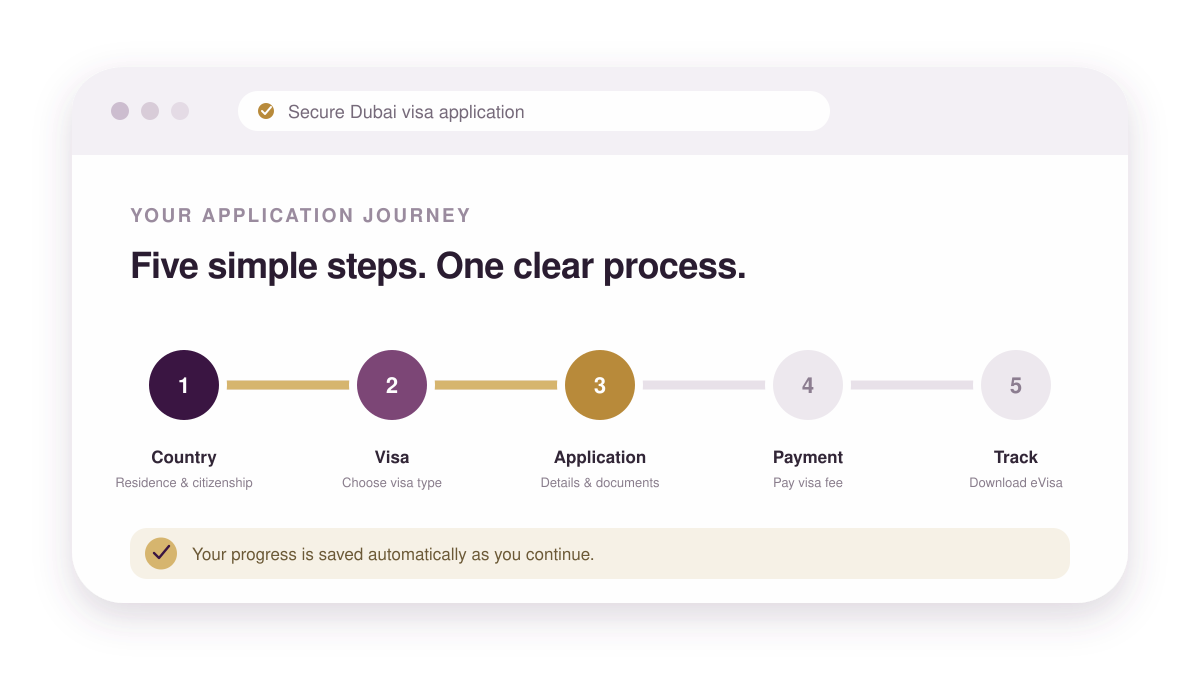
Apply for Your Emirates Dubai Visa in 5 Steps
Applying for an Emirates Dubai visa takes five steps and no embassy visit. Tell us your nationality and where you are travelling from, choose the visa that fits your trip, upload your documents, pay the fee, and follow the application until your approved e-visa is ready to download.


Step 01
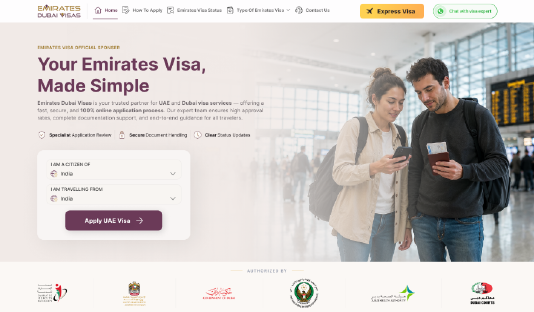
Choose Your Citizenship And Country Of Residence
Your passport decides which Emirates Dubai visas you can apply for, and where you live decides how the application is filed. Pick both from the dropdown and we will show only the visas you actually qualify for.

Step 02
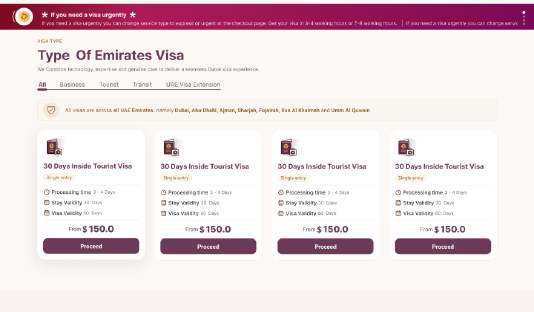
Select Your Emirates Dubai Visa Type
Compare tourist, transit and business visas side by side — 48 and 96 hour transit, 30 or 60 day stays, single or multiple entry. Each card shows the stay length, entry type, processing time and fee, so you can match the visa to your trip before you commit.
Step 03
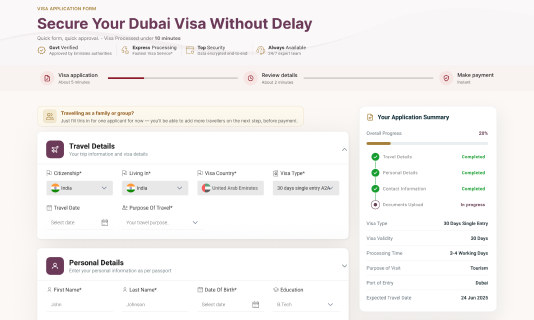
Fill In The Visa Application Form
Enter your travel and passport details, then upload your passport bio page, photograph, and hotel and flight bookings. Travelling as a family or a group? Add every applicant to the same application instead of filing them one by one. All uploads move over an encrypted connection.
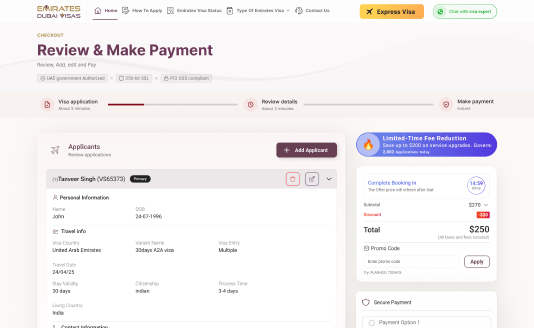
Step 04
Pay The Visa Fee
Review the total for every applicant, choose standard, express or urgent processing, and pay through a secure gateway with your card or preferred method. You get a receipt and your application ID by email the moment the payment clears.
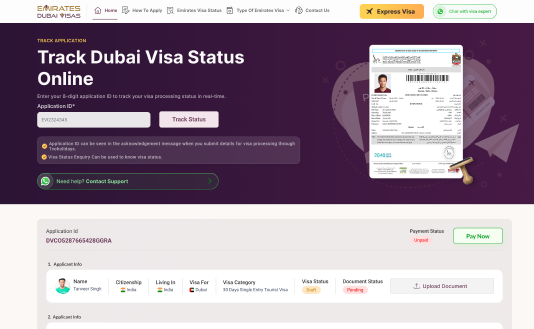
Step 05
Track Your Status And Download The Visa
Enter your application ID on the status page to see exactly where your Emirates Dubai visa has reached, and we email you at every stage in between. Once it is approved, the e-visa is available to download from the same page and is sent to your inbox to print.

Need your visa urgently? Get approved in 3–4 hours.
Upgrade to Express or Urgent at checkout — your file goes to the front of the queue and is filed the same day by a visa specialist.
